
By using this site, you agree to the Privacy Policy and Terms of Use.
Accept
Youth Village KenyaYouth Village KenyaYouth Village Kenya
  • Home
  • Education
  • Employment
  • Entertainment
    • Celebrity News
    • Celebrity Interviews
    • Sports
    • Fashion
    • Politics
    • Tech
  • Opportunities
  • Health
  • Contact Us
Search
© 2022 Foxiz News Network. Ruby Design Company. All Rights Reserved.
Reading: 7 Steps To Make Your Business Location Visible
Share
Sign In
Notification Show More
Font ResizerAa
Youth Village KenyaYouth Village Kenya
Font ResizerAa
Search
Have an existing account? Sign In
Follow US
© 2022 Foxiz News Network. Ruby Design Company. All Rights Reserved.
Youth Village Kenya > Blog > Technology > 7 Steps To Make Your Business Location Visible
Technology

7 Steps To Make Your Business Location Visible

Editor
Last updated: 2023/10/25 at 11:15 PM
Editor
Share
3 Min Read
SHARE

Most small companies want to place themselves in the market of their field, however, when they just start they have different problems because of the little experience they have.

Contents
1.Enter and place the name of your company:Complete the address and location:Select the area where you work:Location in Google Maps:Type of Business:Put your data:Total verification:APPLY 

Image result for google maps business

In parallel, in today’s world, the Internet is usually a very effective tool when disseminating information about various services or products.

Maybe at some point you have searched in Google for a business and the most recognized or experienced companies appear to you, although you may not believe it, they are not necessarily the best options, but they have a strategy to see them before others.

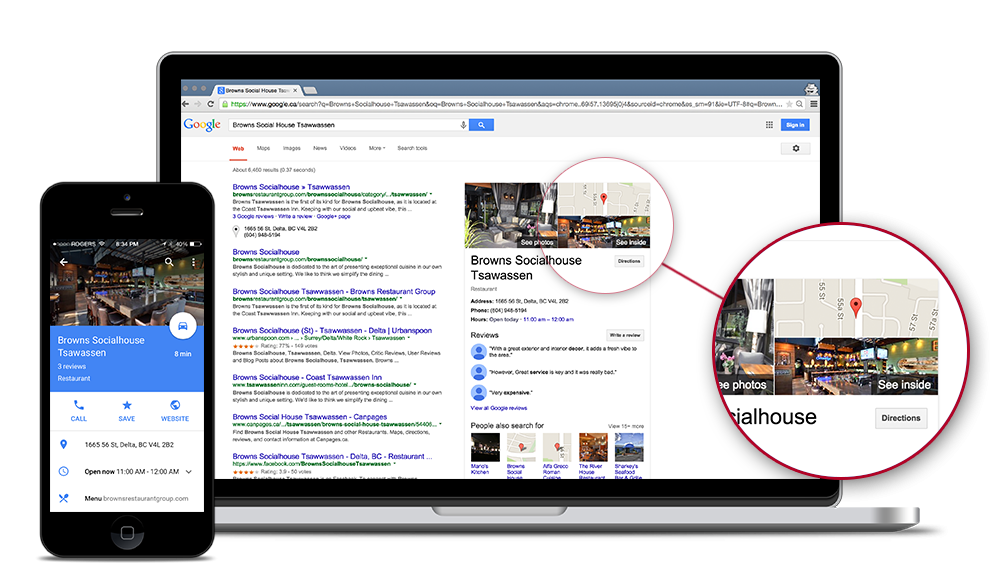
This is Google My Business, a free tool that helps you position your company in Google search and Google Maps.

In addition, it also allows you to create and update your card easily, so you can share your phone number, website, store hours, photos and more.

1.Enter and place the name of your company:

In the first window, you will see a blank space to put the business name of your business. Then, you will have to click on (Next). Do not forget to read the conditions of service, which appears in the lower right.

  1. Complete the address and location:

In the following form, the user will have to place the exact address of their business. To do this, you must have the postal code.

  1. Select the area where you work:

This part is important because it will show two options, however, the first is a bit difficult because Google does not recognize the exact address, but in the second option, you can place how many kilometers around your business can cover.

  1. Location in Google Maps:

Here you will see the Google maps and the exact location you have in the previous step. It is like a confirmation of all the data that you placed so that there is no error when searching for your company on the server.

  1. Type of Business:

Google will offer you infinite options of the category of your business, since this server is worldwide covers all types of business. Try to be very specific in this part, it could be a very peculiar and unique category.

  1. Put your data:

This is an advantage that gives the tool, because when you locate your business, users can see your phone or website.

  1. Total verification:

All the data will be established and they will ask you to put a contact name so that a personal card will arrive.

By performing all these steps, your company will appear well positioned in the network.

APPLY 

You Might Also Like

James Ayugi and Webmasters Kenya Featured in Forbes Africa as Company Unveils Made-in-Kenya WasaaChat

MP Majimbo Kalasinga Proposes Reduction of Minimum Age Requirement for Inua Jamii Program

MP Ndindi Nyoro Loses Facebook Page To Hackers

10 Interesting Facts About President Ruto’s S560 Mercedes Used On Jamhuri Day

10 Useful Websites That Will Teach You Tech Skills For Free

TAGGED: maps, mpas

Sign Up For Daily Newsletter

Be keep up! Get the latest breaking news delivered straight to your inbox.
[mc4wp_form]
By signing up, you agree to our Terms of Use and acknowledge the data practices in our Privacy Policy. You may unsubscribe at any time.
Editor October 25, 2023 June 18, 2018
Share This Article
Facebook Twitter Copy Link Print
Share
Previous Article Video – Fake Money On The Loose, Watch Out
Next Article HR Needed At Fayaz Bakers
- Advertisement -

Latest News

Bahati Says Four People Have Bought KSh 1 Million Tickets for His 10th Anniversary Celebration With Diana Marua
Celebrity News October 9, 2026
Kenyan-Eligible Defender Bartley Okello Signs First Professional Contract with Nottingham Forest Until 2029
Sports October 9, 2026
Winnie Odinga Stuns in Ellen Design Outfit at Raila Odinga Mausoleum Handover in Bondo
Celebrity News October 9, 2026
Georgina Njenga Hospital Update: Eric Omondi Confirms Only Her Mother and Daughter Can Visit During 90-Day Programme
Breaking News October 9, 2026
Harambee Starlets Thrash Seychelles 11-0 at Ulinzi Stadium in 2028 CAF Women’s Olympic Qualifiers
Sports October 9, 2026
Exploring the Visual and Sonic Universe of ‘What Africa?’
Celebrity News Entertainment October 9, 2026
Toxic Lyrikali Drops New Love Song “Mbebe” and Shows His Romantic Side
Entertainment October 8, 2026
Hello Mr. Right Kenya Season 5 Returns With Trisha Khalid, Diverse Cast and Higher Stakes
Entertainment October 8, 2026
- Advertisement -
Follow US
© 2023 Youth Village Kenya By Nine80 Digital Media
Welcome Back!

Sign in to your account

Lost your password?