
By using this site, you agree to the Privacy Policy and Terms of Use.
Accept
Youth Village KenyaYouth Village KenyaYouth Village Kenya
  • Home
  • Education
  • Employment
  • Entertainment
    • Celebrity News
    • Celebrity Interviews
    • Sports
    • Fashion
    • Politics
    • Tech
  • Opportunities
  • Health
  • Contact Us
Search
© 2022 Foxiz News Network. Ruby Design Company. All Rights Reserved.
Reading: How To Fix Quickly – ‘USB Not Detected’
Share
Sign In
Notification Show More
Font ResizerAa
Youth Village KenyaYouth Village Kenya
Font ResizerAa
Search
Have an existing account? Sign In
Follow US
© 2022 Foxiz News Network. Ruby Design Company. All Rights Reserved.
Youth Village Kenya > Blog > Technology > How To Fix Quickly – ‘USB Not Detected’
Technology

How To Fix Quickly – ‘USB Not Detected’

Editor
Last updated: 2023/10/25 at 11:03 PM
Editor
Share
3 Min Read
SHARE

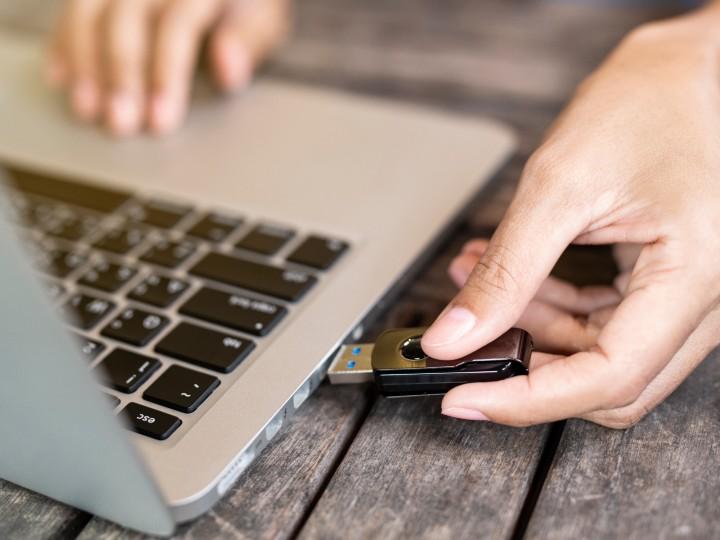
It has surely happened to you that your computer does not recognize your USB and, generally speaking, that what is on your USB does not have it stored anywhere else, that is why today we have some tips that you can use if you return to happen .

A BIOS, chipset, or USB driver update may fix whatever is causing this problem. Check them out and install the latest versions of the motherboard or laptop drivers you can get, and see if that helps.

Assuming that your main operating system is Windows, try to open Computer Management through the Start menu when you have your USB drive connected. Appears? If so, and you haven’t been assigned a drive letter, that might be the quick and easy fix.

If you open Device Manager, do you get any USB device or USB controller with some kind of yellow exclamation warning? If so, try right-clicking and selecting “uninstall device”, unplug your USB, restart your PC and turn it on again. That could give you an opportunity to update any issues that prevent it from being seen.

If you have access to a Mac, you can try using the “First Aid” option in Disk Utility to repair your drive. However, if your system can’t recognize the USB drive, that won’t help.

Could be a hardware problem

If none of the above worked you are probably seeing a hardware problem. Take out alcohol and try to clean the USB plug in the hope that that’s the problem. You can also try to disassemble this unit and use an adapter to avoid any kind of malfunction with the real USB plug.

But, at this point, you are shooting in the dark to fix an unknown problem. You could further damage your USB drive if you pull out the solder and start trying to forge your own connections; Your circuit board may have a problem, making this whole technique arguable anyway.

At this point, you may be considering finding a local data recovery service, assuming it’s so critical. This can cost a bit, so you should always consider having a copy of the information that you keep on your USB.


You Might Also Like

MP Majimbo Kalasinga Proposes Reduction of Minimum Age Requirement for Inua Jamii Program

MP Ndindi Nyoro Loses Facebook Page To Hackers

10 Interesting Facts About President Ruto’s S560 Mercedes Used On Jamhuri Day

10 Useful Websites That Will Teach You Tech Skills For Free

10 Things To Check Before Long Journey

Sign Up For Daily Newsletter

Be keep up! Get the latest breaking news delivered straight to your inbox.
[mc4wp_form]
By signing up, you agree to our Terms of Use and acknowledge the data practices in our Privacy Policy. You may unsubscribe at any time.
Editor October 25, 2023 May 13, 2020
Share This Article
Facebook Twitter Copy Link Print
Share
Previous Article Kenyan Celebrities Who Were Destitute During Childhood
Next Article 12 Albert Einstein Quotes About Science And Life That Will Inspire You
- Advertisement -

Latest News

Nairobi Silva Kido Receives Hero’s Welcome After Covering the 2026 FIFA World Cup in the United States
Celebrity News July 24, 2026
Miss Mueni Opens Up About Mumps During Third Pregnancy and Shares Honest Health Update
Celebrity News July 24, 2026
Tileh Pacbro Explains Why He Avoids Betting Partnerships and Promotes Responsible Financial Choices
Celebrity News July 24, 2026
Nadia Mukami Receives Brand New Hybrid Electric Car from Urban Wheels to Celebrate 10 Years in Music
Entertainment July 24, 2026
Between Africa’s Rivers Celebrates the Voices Behind African Rhythm
Celebrity News July 24, 2026
Cyrillo Releases “Second Chance” Featuring RedFourth Chorus, A Song of Hope, Redemption and New Beginnings
Entertainment July 24, 2026
President William Ruto Announces Sony Music, Universal Music Group and Warner Music Group Will Establish a Presence in Nairobi
Entertainment July 23, 2026
Khaligraph Jones Stuns Fans with Dramatic Weight Loss After Losing Over 47 Kilograms
Celebrity News July 23, 2026
- Advertisement -
Follow US
© 2023 Youth Village Kenya By Nine80 Digital Media
Welcome Back!

Sign in to your account

Lost your password?