
By using this site, you agree to the Privacy Policy and Terms of Use.
Accept
Youth Village KenyaYouth Village KenyaYouth Village Kenya
  • Home
  • Education
  • Employment
  • Entertainment
    • Celebrity News
    • Celebrity Interviews
    • Sports
    • Fashion
    • Politics
    • Tech
  • Opportunities
  • Health
  • Contact Us
Search
© 2022 Foxiz News Network. Ruby Design Company. All Rights Reserved.
Reading: How To Convert WhatsApp To Business Profile
Share
Sign In
Notification Show More
Font ResizerAa
Youth Village KenyaYouth Village Kenya
Font ResizerAa
Search
Have an existing account? Sign In
Follow US
© 2022 Foxiz News Network. Ruby Design Company. All Rights Reserved.
Youth Village Kenya > Blog > Technology > How To Convert WhatsApp To Business Profile
Technology

How To Convert WhatsApp To Business Profile

Editor
Last updated: 2023/10/25 at 11:01 PM
Editor
Share
3 Min Read
SHARE

WhatsApp is the most popular messaging application in the world. Due to its many functions, a large number of businessmen have come to it to have contact with their clients in a more professional way than is conventional.

Contents
Benefits of using WhatsApp BusinessSteps to follow to change your profile to business

Through WhatsApp Business you can enjoy more tools suitable for your business.

Among the possibilities offered by this communication method you can find templates. These will help you create welcome messages for your clients, as well as configure messages when you are absent to notify your clients when you will be available again.

Benefits of using WhatsApp Business


One of the benefits that business WhatsApp has for your company is that you will be able to know what the statistical movement of your customers is like, what their preferences and needs are.

Another interesting aspect is that you can insert the URL of your company your business website in this new profile.

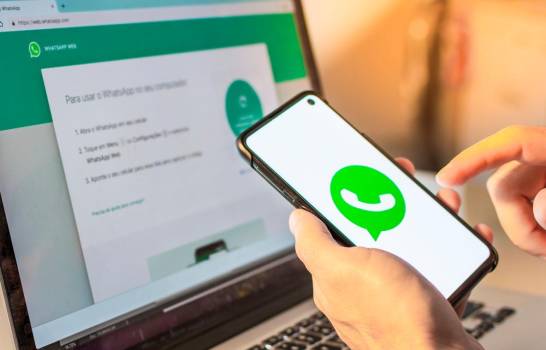
WhatsApp Business will bring great advantages for the growth of your company / Photocomposition
In the same way, this messaging service will allow you to easily share information about your company with your clients. These include the business location, email address, and business hours.

Also responding to your messages will now be much easier and you will provide your customers with a higher quality so that they continue to prefer your business.

Steps to follow to change your profile to business


Go to Google Play Store or Apple App Store and download WhatsApp Business; once installed, enter the application.
Read the terms of service and press the “Accept and continue” button.


Then you must decide if you will use WhatsApp Business with your current phone number or with another (if you choose to use it with another number, press the “Use a different number” button.
Press the button where your current phone number appears and you will receive a 6-digit registration code via SMS message.


Then you must authorize the application to transfer your files that are in your personal WhatsApp
In the event that your WhatsApp profile is protected by the two-step verification, you must enter your secret code to continue with the file transfer.


After you have made the file transfer, you must enter the name of your company in the profile, select the category, put a brief description and the address and then press the “Next” button.
After this, select how often you want your backup to be made.


And voila, now you can start enjoying all the communication tools that WhatsApp Business has for your business.


You Might Also Like

MP Majimbo Kalasinga Proposes Reduction of Minimum Age Requirement for Inua Jamii Program

MP Ndindi Nyoro Loses Facebook Page To Hackers

10 Interesting Facts About President Ruto’s S560 Mercedes Used On Jamhuri Day

10 Useful Websites That Will Teach You Tech Skills For Free

10 Things To Check Before Long Journey

Sign Up For Daily Newsletter

Be keep up! Get the latest breaking news delivered straight to your inbox.
[mc4wp_form]
By signing up, you agree to our Terms of Use and acknowledge the data practices in our Privacy Policy. You may unsubscribe at any time.
Editor October 25, 2023 August 13, 2021
Share This Article
Facebook Twitter Copy Link Print
Share
Previous Article 8 Tips When Buying Items Online
Next Article 4 Things That You Repeat With All Your Partners And That Is Why You Fail In Love
- Advertisement -

Latest News

Christopher Nolan Confirms Lupita Nyong’o’s Dual Roles in The Odyssey as Casting Debate Intensifies
Entertainment May 15, 2026
Chiki Kuruka Defends African Artists Performing at Africa Summit Le Concert Amid Online Criticism
Entertainment May 15, 2026
Wahu Kagwi Re-Records Sweet Love 20 Years Later in Emotional Mother’s Day Tribute
Entertainment May 15, 2026
Couples Awards East Africa 2026 Unveiled by 2Mbili and Tony Mwirigi, Set to Spotlight Viral Relationships
Entertainment May 15, 2026
Toxic Lyrikali Responds to Claims of Backing Down in Feud With Buruklyn Boyz
Entertainment May 15, 2026
Lilian Nganga Opens Up About Shame After Split From Alfred Mutua, Encourages Embracing Personal Growth
Celebrity News May 14, 2026
Njugush Sparks Reactions After Taking Abel Mutua’s Land Rover To The Market In Hilarious Comedy Stunt
Entertainment May 14, 2026
Vera Sidika Says Love And Chemistry Matter More Than Money In Her Dating Choices
Relationships May 14, 2026
- Advertisement -
Follow US
© 2023 Youth Village Kenya By Nine80 Digital Media
Welcome Back!

Sign in to your account

Lost your password?